
How to Deploy a Mirror Photo Booth for In-Person Events?
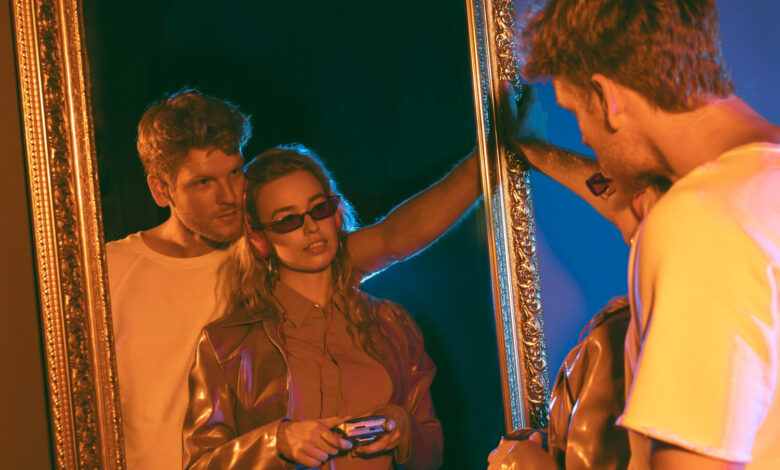
The success of any mirror photo booth at in-person events largely depends on proper deployment and clear instructions for attendees. This comprehensive guide will walk you through the essential steps of setting up and managing a magic mirror photo booth, ensuring your guests get the most out of this interactive entertainment feature.
Pre-Deployment Planning
Location Assessment
Before deploying your mirror photo booth for events, carefully evaluate the venue space.
- Power Requirements:
- Identify available power outlets
- Plan for backup power solutions
- Ensure proper voltage compatibility
- Consider extension cord routing for safety
- Space Considerations:
- Minimum 10×10 feet area for the setup
- Additional 6-8 feet of space in front of the mirror
- Room for prop table and queuing area
- Adequate ceiling height (minimum 8 feet)
- Lighting Conditions:
- Assess natural light sources
- Plan supplementary lighting
- Avoid direct sunlight on the mirror
- Consider evening lighting requirements
Setup Process for Event Photo Booths
Equipment Assembly
- Mirror Photo Booth Installation:
- Place the base on level ground
- Secure all connecting components
- Attach the mirror frame carefully
- Test stability and make adjustments
- Clean mirror surface thoroughly
- Technical Setup:
- Connect power supplies
- Boot up the system
- Configure network settings
- Test touch screen responsiveness
- Calibrate camera settings
Software Configuration
- Basic Settings:
- Set event date and time
- Configure session duration
- Adjust countdown timers
- Set up photo layouts
- Test print settings (if applicable)
- Customization:
- Upload event branding
- Configure overlay designs
- Set up virtual props
- Program custom messages
- Test all animations
Creating Clear Instructions for Attendees
After deploying mirror photo booths, don’t forget to create clear instructions for attendees so that they can use it without any challenge.
Provide Visual Guides
Develop easy-to-follow instructions for your mirror picture booth:
- Step-by-Step Signage:
- Welcome screen instructions
- Positioning guidelines
- Gesture controls explanation
- Photo selection process
- Sharing options guide
- Physical Props Organization:
- Label prop categories
- Display prop usage examples
- Create a prop return area
- Mark safe distances
Ensure Seamless Attendant Training
Ensure your photo booth attendant knows how to:
- Guide guests through the experience
- Demonstrate features
- Handle common issues
- Manage queues effectively
- Clean and maintain equipment
Maximizing Event Gamification
Interactive Features Setup
- Competition Modes:
- Configure scoring systems
- Set up challenge modes
- Program reward animations
- Create leaderboards
- Social Integration:
- Set up hashtag displays
- Configure sharing options
- Enable instant uploads
- Test social media connections
Some Operational Guidelines to Consider
During Event Management
- Queue Management:
- Set up stanchions or markers
- Display estimated wait times
- Implement group photo protocols
- Maintain organized flow
- Technical Monitoring:
- Regular system checks
- Battery level monitoring
- Storage capacity tracking
- Network connectivity verification
Troubleshooting Procedures
- Common Issues:
- Touch screen calibration
- Camera focus problems
- Printing errors
- Software freezes
- Quick Fixes:
- System restart procedures
- Backup equipment deployment
- Alternative capture methods
- Emergency contact information
Best Practices for Guest Experience
Category |
Best Practice |
Description |
Setup & Location |
Lighting Control | Ensure consistent, flattering lighting with no harsh shadows or glare |
| Space Management | Maintain a minimum 10×10 ft operational area plus 6-8 ft guest space | |
| Power Management | Install surge protectors and backup power solutions | |
| Background Setup | Use a clean, wrinkle-free backdrop with proper tension | |
| Floor Protection | Install non-slip mats and cable covers | |
Technical Configuration |
System Testing | Complete full system test 2 hours before event start |
| Backup Systems | Maintain redundant hardware for critical components | |
| Network Setup | Secure, dedicated network connection or hotspot | |
| Storage Management | Minimum 500GB free storage, automated backup system | |
| Software Updates | Complete all updates 24 hours before event | |
Guest Experience |
Queue Management | Implement a virtual queue system with SMS notifications |
| Instruction Display | Post clear, visual step-by-step guides | |
| Props Organization | Sort props by type, maintain cleaning station | |
| Time Management | Set 3-4 minute session limits per group | |
| Group Management | Maximum 6 people per session, marked standing spots | |
Hygiene & Safety |
Sanitization | Clean mirror surface every 30 minutes |
| Props Cleaning | Sanitize props after each use | |
| Social Distancing | Mark queue spots with 6ft spacing | |
| Emergency Protocol | Maintain clear path to exits, first aid kit nearby | |
| Ventilation | Ensure proper airflow in booth area | |
Staff Operations |
Attendant Training | Complete comprehensive training program |
| Shift Management | Rotate staff every 4 hours maximum | |
| Issue Response | Document all technical issues and resolutions | |
| Guest Assistance | Maintain one dedicated staff member per booth | |
| Communication | Use staff headsets for quick problem resolution | |
Content Management |
Photo Quality | Check photo quality every hour |
| Branding | Maintain consistent event branding on all outputs | |
| Data Backup | Real-time cloud backup of all photos | |
| Privacy Control | Implement photo approval before sharing | |
| Output Options | Offer multiple sharing options (email, SMS, print) | |
Event Integration |
Social Media | Display live social media wall with event hashtag |
| Event Timeline | Coordinate with event schedule for peak times | |
| Branding Alignment | Match booth aesthetics with event theme | |
| Virtual Integration | Offer hybrid experience options | |
| Analytics Tracking | Monitor usage patterns and popular features | |
Post-Event Management |
Data Collection | Compile comprehensive usage statistics |
| Photo Distribution | Complete all photo sharing within 24 hours | |
| Equipment Check | Perform post-event equipment inspection | |
| Feedback Collection | Survey guests about experience | |
| Report Generation | Create detailed event performance report |
Conclusion
Successful deployment of a magic mirror photo booth requires careful planning, clear instructions, and attention to detail. By following these comprehensive guidelines, you can ensure your mirror photo booth becomes a highlight of your in-person events. Remember that the key to success lies in proper preparation, clear communication with attendees, and maintaining a smooth operation throughout the event.
Regular maintenance, proper staff training, and understanding of both technical and social aspects of the mirror photo booth experience will help create memorable moments for your event attendees. Keep updating your deployment strategies based on feedback and experiences to continuously improve the service quality and user experience.


