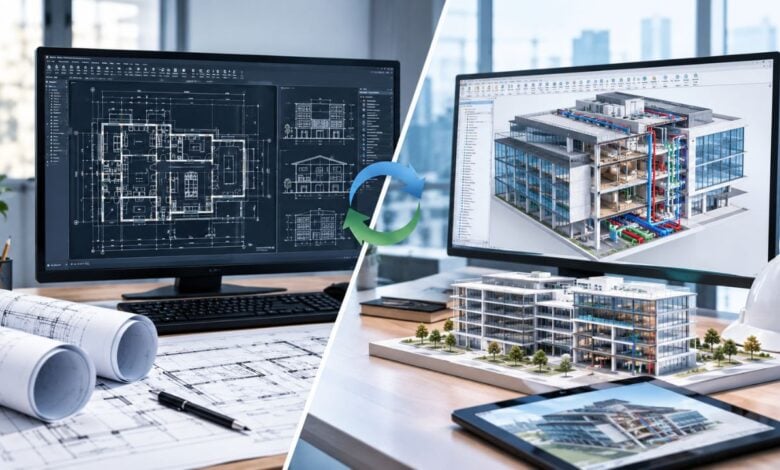
The architecture, engineering, and construction (AEC) industry across the United States operates in a high-stakes environment where precision, speed, and cost efficiency dictate success. As building codes grow more stringent and delivery schedules shorten, choosing the appropriate design methodology directly impacts a project’s profitability and structural execution. For decades, Computer-Aided Design (CAD) served as the undisputed industry standard for digital drafting. Today, Building Information Modeling (BIM) offers a dynamic, data-driven alternative that reshapes how multidisciplinary teams design, coordinate, and build.
Understanding the operational differences between CAD drafting and advanced BIM workflows is essential for architects, general contractors, structural engineers, and real estate developers. Deciding which approach fits your project scope will determine how smoothly your team moves from schematic design to ground-up construction.
What Is CAD Drafting? Precision 2D and 3D Visuals
Computer-Aided Design (CAD) replaced traditional manual drafting boards with digital speed and geometric precision. At its core, CAD software functions as a digital canvas used to produce 2D vector drawings—such as floor plans, building elevations, site plans, structural sections, and detailed millwork shop drawings—as well as basic 3D geometry.
Key Advantages of CAD Workflows
- Speed and Simplicity: Drafting initial concept layouts, permitting sets, and standard construction documents in 2D is straightforward and requires minimal computational overhead.
- Cost-Effective Implementation: CAD software carries lower licensing costs and requires less intensive hardware, making it ideal for specialized sub-contractors, small drafting teams, and budget-conscious firms.
- Ideal for Single-Discipline Tasks: When producing isolated details, mechanical component drawings, or millwork fabrications, CAD provides exact dimensional control without unnecessary visual data clutter.
Limitations to Consider
The fundamental drawback of traditional CAD is its reliance on isolated drawing files. If a design revision occurs on a floor plan, drafting teams must manually update every related section, elevation, and schedule. This disconnected workflow increases the risk of human error, drawing discrepancies, and downstream field conflicts.
What Is BIM Modeling? Data-Rich Virtual Construction
Building Information Modeling (BIM) transitions design teams from drawing lines to assembling intelligent digital building components. In a BIM environment, every element—whether a structural column, an exterior curtain wall, or an HVAC duct—contains embedded physical, performance, and material properties.
Key Advantages of BIM Workflows
- Parametric Change Management: BIM operates on a centralized database. Modifying a wall location or ceiling height automatically updates all related elevations, sections, quantities, and schedules in real time, eliminating repetitive manual coordination.
- Proactive Clash Detection: BIM enables pre-construction spatial coordination. MEP, structural, and architectural models are merged to identify physical conflicts—such as a duct running through a structural beam—long before site installation begins.
- Lifecycle Data Access: Beyond construction, a rich BIM model serves facility managers with valuable asset data for long-term operations, maintenance, and future renovations.
Limitations to Consider
BIM implementation demands higher initial investments in software licensing, high-performance workstation hardware, and intensive staff training. For simple builds or small-scale renovations, setting up a full BIM framework can introduce unnecessary administrative overhead.
CAD vs. BIM Comparison: Evaluating Project Fit
To determine whether CAD or BIM best aligns with your next build, evaluate these four key project dimensions:
| Project Factors | CAD Workflow | BIM Workflow |
| Primary Output | 2D vector drawings & basic 3D line work | Centralized, data-rich 3D smart model |
| Project Scale | Residential remodels, tenant build-outs, detail sets | Large commercial, healthcare, industrial, multi-family |
| Coordination Need | Periodic manual file sharing & overlay reviews | Automated real-time multi-discipline clash detection |
| Cost Dynamics | Low initial software & setup investment | Higher upfront cost offset by reduced job-site rework |
1. Scope and Architectural Complexity
For simple commercial interior updates, single-family residential additions, or custom furniture shop drawings, CAD delivers quick, clear, and code-compliant documentation. Conversely, complex multi-story structures with intricate MEP systems require the spatial intelligence that only BIM provides.
2. Multi-Discipline Team Coordination
When a project involves dozens of consultants, contractors, and engineers working simultaneously, CAD file management can lead to version-control issues. BIM centralizes project data into a shared cloud environment, fostering seamless communication across disciplines.
3. Long-Term Value and Construction Savings
While CAD keeps upfront design fees lower, BIM drives down field expenses. By resolving spatial clashes virtually, BIM significantly reduces RFIs (Requests for Information), site change orders, and costly material waste during active construction.
Selecting the Right Workflow for Your Firm
Choosing between CAD and BIM is not a matter of determining which technology is absolute superior; it is about matching the software workflow to your project’s specific demands, budget, and delivery model. Many growing architectural and engineering firms adopt a flexible approach, utilizing CAD for fast 2D permitting packages and deploying BIM for complex, coordinated developments.
To maintain overhead flexibility while delivering high-quality documentation, forward-thinking firms frequently collaborate with specialized drafting and modeling partners. Working alongside experienced professionals like US Drafting Inc. gives AEC companies on-demand access to technical architectural drafting and BIM modeling capabilities, ensuring precision execution on every project without straining internal resources.
Conclusion
Both CAD and BIM maintain critical roles in modern design and construction workflows. By carefully assessing your project’s size, team structure, client requirements, and long-term asset goals, you can choose the optimal drafting or modeling path to deliver your build on time and within budget.