
How Can Website Developers Ensure Websites Are User-Friendly?
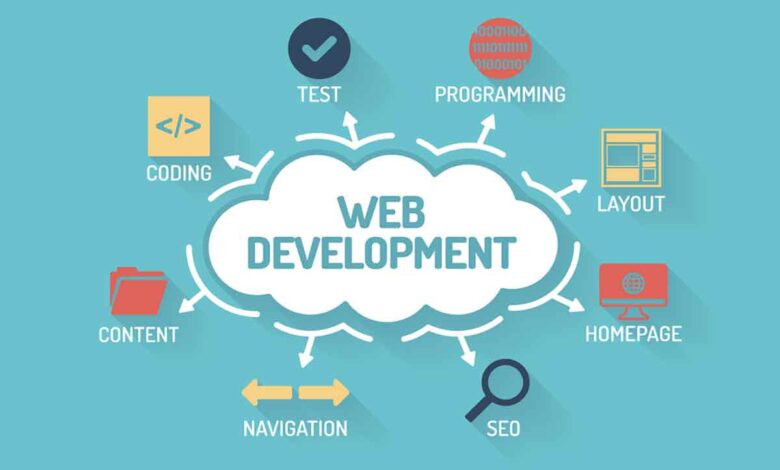
In the fast-paced digital world, user experience (UX) is paramount. As online visitors have a plethora of options, ensuring that websites are user-friendly can make the difference between retaining customers and losing them. For website developers, creating an intuitive and engaging experience is crucial. Here’s how they can achieve that.
Understanding User Needs and Expectations
The first step in creating a user-friendly website is understanding the target audience. Website developers must engage in thorough research to identify the specific needs and preferences of their users. This involves:
- User Personas: Creating detailed profiles of potential users helps developers understand who their audience is, what they are looking for, and how they interact with websites. This information is invaluable in shaping the website’s design and functionality.
- Feedback and Surveys: Collecting feedback from existing users can provide insights into what they like or dislike about a website. Surveys can also help gauge user expectations and preferences, guiding developers in making informed decisions.
- Competitor Analysis: Analyzing competitors’ websites can highlight best practices in the industry. It allows website developers to learn from others’ successes and pitfalls, adapting those lessons to their own projects.
Simplifying Navigation
Effective navigation is a cornerstone of user-friendly website development. A well-structured navigation system enables users to find what they are looking for quickly and efficiently. Here are some best practices:
- Clear Menu Structure: The main navigation menu should be straightforward and easy to understand. Categories should be clearly labeled, and subcategories should be easily accessible without overwhelming the user with choices.
- Breadcrumbs: Implementing breadcrumb navigation provides users with a clear path of their journey through the website. This not only helps them understand where they are but also makes it easier to backtrack if necessary.
- Search Functionality: Including a search bar allows users to directly search for specific content. This is particularly helpful for larger websites with extensive content, as it saves users time and frustration.
Responsive Design for All Devices
With the increasing use of mobile devices, ensuring that websites are mobile-friendly is critical. Responsive design allows a website to adapt its layout based on the device being used, whether it’s a smartphone, tablet, or desktop. Here’s how website developers can achieve this:
- Fluid Grids: Using fluid grids instead of fixed layouts enables content to adjust dynamically. This ensures that users can view the website comfortably, regardless of their screen size.
- Flexible Images: Images should scale appropriately to fit different screen sizes without losing quality. This prevents slow loading times and ensures that visuals remain appealing.
- Touch-Friendly Elements: Buttons and navigation links should be large enough to be easily tapped on mobile devices. This prevents frustration for users trying to interact with smaller elements on their screens.
Prioritizing Loading Speed
Website loading speed is crucial for user retention. Studies show that users are likely to abandon a website if it takes more than a few seconds to load. Website developers can enhance loading speed through the following methods:
- Optimizing Images: Large images can significantly slow down loading times. Developers should optimize images by reducing their size without sacrificing quality. Tools like image compression software can be beneficial.
- Minifying CSS and JavaScript: Reducing the size of CSS and JavaScript files by removing unnecessary characters can lead to faster loading times. This practice ensures that the browser loads only essential files.
- Content Delivery Networks (CDNs): Utilizing CDNs can improve loading speed by distributing content across multiple servers worldwide. This allows users to access data from a server that is geographically closer to them.
Enhancing Content Readability
Readable content is essential for user engagement. Website developers should focus on creating a visually appealing and easily digestible layout. Here are some tips to enhance content readability:
- Typography: Choosing the right font is crucial. Developers should select fonts that are legible on various devices, ensuring that font sizes and styles are consistent throughout the website.
- White Space: Adequate white space around text and images creates a clean and uncluttered look. This not only improves aesthetics but also helps users focus on the content without feeling overwhelmed.
- Visual Hierarchy: Implementing a clear visual hierarchy through headings, subheadings, and bullet points allows users to scan the content quickly. This makes it easier for them to find relevant information.
Ensuring Accessibility
Creating an accessible website means that it can be used by people with various disabilities. Website developers should prioritize accessibility to ensure all users can navigate and interact with the site. Key practices include:
- Alt Text for Images: Providing descriptive alt text for images allows screen readers to convey the content to visually impaired users. This simple addition can make a significant difference in usability.
- Keyboard Navigation: Ensuring that all interactive elements can be accessed via keyboard navigation allows users with motor impairments to interact with the website effectively.
- Color Contrast: Developers should ensure there is sufficient contrast between text and background colors. This makes it easier for users with visual impairments to read the content.
Utilizing Clear Call-to-Actions (CTAs)
CTAs guide users toward specific actions, such as signing up for a newsletter or making a purchase. Website developers should focus on creating clear and compelling CTAs:
- Contrasting Colors: Using contrasting colors for CTAs helps them stand out on the page, making it easy for users to identify them.
- Action-Oriented Language: CTAs should use clear and action-oriented language. Phrases like “Sign Up Now” or “Get Started Today” create a sense of urgency and encourage users to take action.
- Placement: Strategic placement of CTAs is essential. Developers should ensure that CTAs are positioned where users naturally look, such as at the end of relevant content or in the header.
Incorporating User Testing
User testing is an invaluable tool in the website development process. By observing real users interacting with a website, developers can identify pain points and areas for improvement. Here’s how to effectively implement user testing:
- Prototype Testing: Before launching a website, developers can create prototypes to test with real users. This allows for feedback on design and functionality before the final launch.
- A/B Testing: A/B testing involves creating two versions of a webpage to see which one performs better. This method provides concrete data on user preferences and behavior.
- Continuous Improvement: User testing should be an ongoing process. Regularly seeking user feedback post-launch helps developers make necessary adjustments to enhance user experience continually.
Collaborating with a Website Development Company
While individual website developers play a significant role in creating user-friendly websites, collaborating with a website development company can provide additional expertise and resources. Companies often have teams of specialists who can focus on different aspects of website development, ensuring a holistic approach to user-friendliness.
- Expert Insights: A development company brings together professionals with varied skills, including UX/UI designers, content strategists, and SEO experts. This collaboration can lead to innovative solutions that enhance user experience.
- Resources and Tools: Established companies often have access to advanced tools and technologies that individual developers may not. Utilizing these resources can streamline the development process and improve overall quality.
- Ongoing Support: Partnering with a development company provides ongoing support for website maintenance and updates. This ensures that the website remains user-friendly as technology and user expectations evolve.
Emphasizing Security and Privacy
In an era where data breaches are increasingly common, ensuring that a website is secure and respects user privacy is vital for user trust. Here’s how website developers can prioritize security:
- SSL Certificates: Implementing SSL certificates encrypts data transferred between the user and the website. This not only enhances security but also builds trust with users.
- Regular Updates: Keeping software, plugins, and themes updated protects against vulnerabilities. Developers should regularly check for updates and apply them promptly.
- Privacy Policies: Clearly outlining how user data is collected, used, and protected helps establish transparency and trust. Website developers should create comprehensive privacy policies that are easily accessible.
Conclusion
Creating user-friendly websites is a multifaceted task that requires careful consideration and ongoing effort. By understanding user needs, simplifying navigation, ensuring responsiveness, prioritizing loading speed, enhancing readability, ensuring accessibility, utilizing clear CTAs, incorporating user testing, collaborating with a website development company, and emphasizing security, website developers can create engaging and effective digital experiences.
In a competitive online landscape, prioritizing user experience not only satisfies users but also drives business success. Whether you’re part of a large website development company or a solo developer, implementing these strategies can set your projects apart and help you build lasting relationships with your users.
click here to visit website


